# Edit Place tips
**URL:** https://forum.flowx.io/t/edit-place-tips/184
**Category:** Help
**Created:** [May 5, 2019, 2:23pm UTC](https://forum.flowx.io/t/edit-place-tips/184 "2019-05-05T14:23:41Z")
**Posts on this page:** 6
**Page:** 1
### Author:  [@FlowxLloyd](https://forum.flowx.io/u/FlowxLloyd)
#### Post date: [May 5, 2019, 2:23pm UTC](https://forum.flowx.io/t/edit-place-tips/184/1 "2019-05-05T14:23:41Z")
I have past data on the server and you can view up to 3 days in the past (hindcast). Just edit place and you can add the extra day(s) into the past.
Thanks for this tip @duane
---
### Author:  [@FlowxLloyd](https://forum.flowx.io/u/FlowxLloyd)
#### Post date: [May 5, 2019, 2:35pm UTC](https://forum.flowx.io/t/edit-place-tips/184/2 "2019-05-05T14:35:40Z")
Not only can the number of (hindcast/forecast) days be adjusted, but the location name can be customized after it has been selected in search. The location name can be changed to a “ _space_ ” or perhaps “Graceland”, whatever makes you happy. I prefer a “space” as this effectively hides the location value in the Flowx widget; keeping it clean and tidy.
---
### Author:  [@duane](https://forum.flowx.io/u/duane)
#### Post date: [May 9, 2019, 5:28am UTC](https://forum.flowx.io/t/edit-place-tips/184/3 "2019-05-09T05:28:04Z")
> [@FlowxLloyd](#):
>
> I prefer a “space” as this effectively hides the location value in the Flowx widget; keeping it clean and tidy.
Maybe we need a setting for this. It should probably be in the theme editor - a feature that will appear in the future.
---
### Author:  [@FlowxLloyd](https://forum.flowx.io/u/FlowxLloyd)
#### Post date: [May 11, 2019, 12:39pm UTC](https://forum.flowx.io/t/edit-place-tips/184/4 "2019-05-11T12:39:45Z")
> [@duane](#):
>
> Maybe we need a setting for this. It should probably be in the theme editor
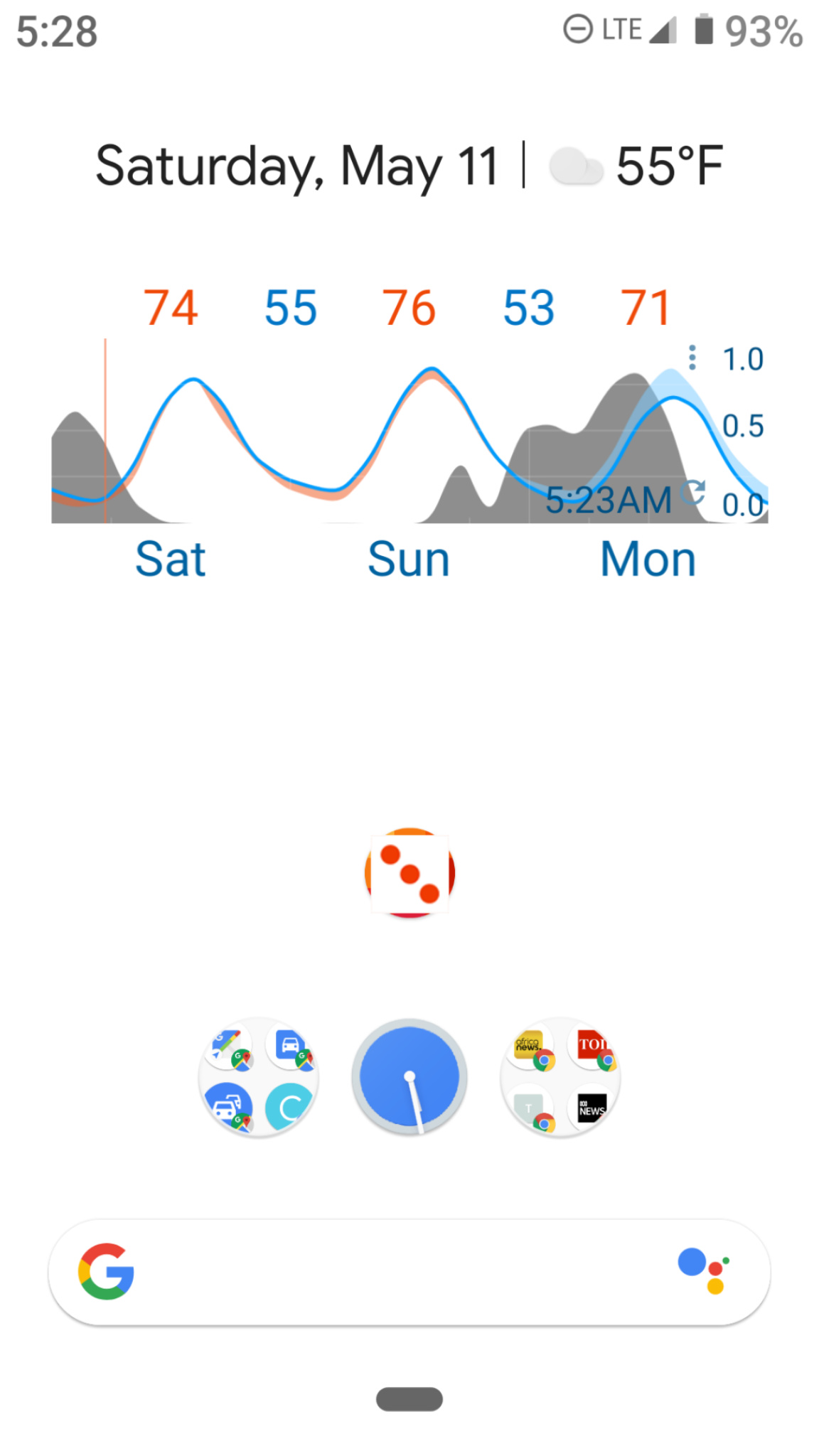
Depends if you release an “auto” location for the widget. If it had auto, I would prefer a name appear when not at my “blank” location, rather than location always hidden. Appropriate info, when you need it, not default info at all times.
Now, I would welcome some more control on scale values… as-in, to hide them. This may be a 3.102 thing?.. But I’m always looking for “clean and tidy” in the final widget output, and now see scale values.
---
### Author:  [@duane](https://forum.flowx.io/u/duane)
#### Post date: [May 11, 2019, 9:32pm UTC](https://forum.flowx.io/t/edit-place-tips/184/5 "2019-05-11T21:32:54Z")
You can hide the scales via the Graph Editor.
---
### Author:  [@FlowxLloyd](https://forum.flowx.io/u/FlowxLloyd)
#### Post date: [May 15, 2019, 4:22am UTC](https://forum.flowx.io/t/edit-place-tips/184/6 "2019-05-15T04:22:19Z")
That did it. Clean and tidy, again.