# Widget transparency and graph layout?
**URL:** https://forum.flowx.io/t/widget-transparency-and-graph-layout/1659
**Category:** Help
**Created:** [November 15, 2023, 1:32am UTC](https://forum.flowx.io/t/widget-transparency-and-graph-layout/1659 "2023-11-15T01:32:28Z")
**Posts on this page:** 7
**Page:** 1
### Author:  [@Walt](https://forum.flowx.io/u/Walt)
#### Post date: [November 15, 2023, 1:32am UTC](https://forum.flowx.io/t/widget-transparency-and-graph-layout/1659/1 "2023-11-15T01:32:28Z")
I just updated my phone to a Pixel 7a.
I use two widgets with different data, and on my old phone both are transparent. On the Pixel the background is solid white. Not a big deal but they look nicer on the old phone with a nautical background. Is there a setting I’m missing?
Also on the old phone the graphs are all in the same pane, if that makes sense, but on the new phone they’re in separate panes one on top of the other. Again, I’m sure there’s a setting for this but I just can’t seem to find it.
Thanks in advance for any help!
---
### Author:  [@Ohan](https://forum.flowx.io/u/Ohan)
#### Post date: [November 15, 2023, 1:51pm UTC](https://forum.flowx.io/t/widget-transparency-and-graph-layout/1659/2 "2023-11-15T13:51:42Z")
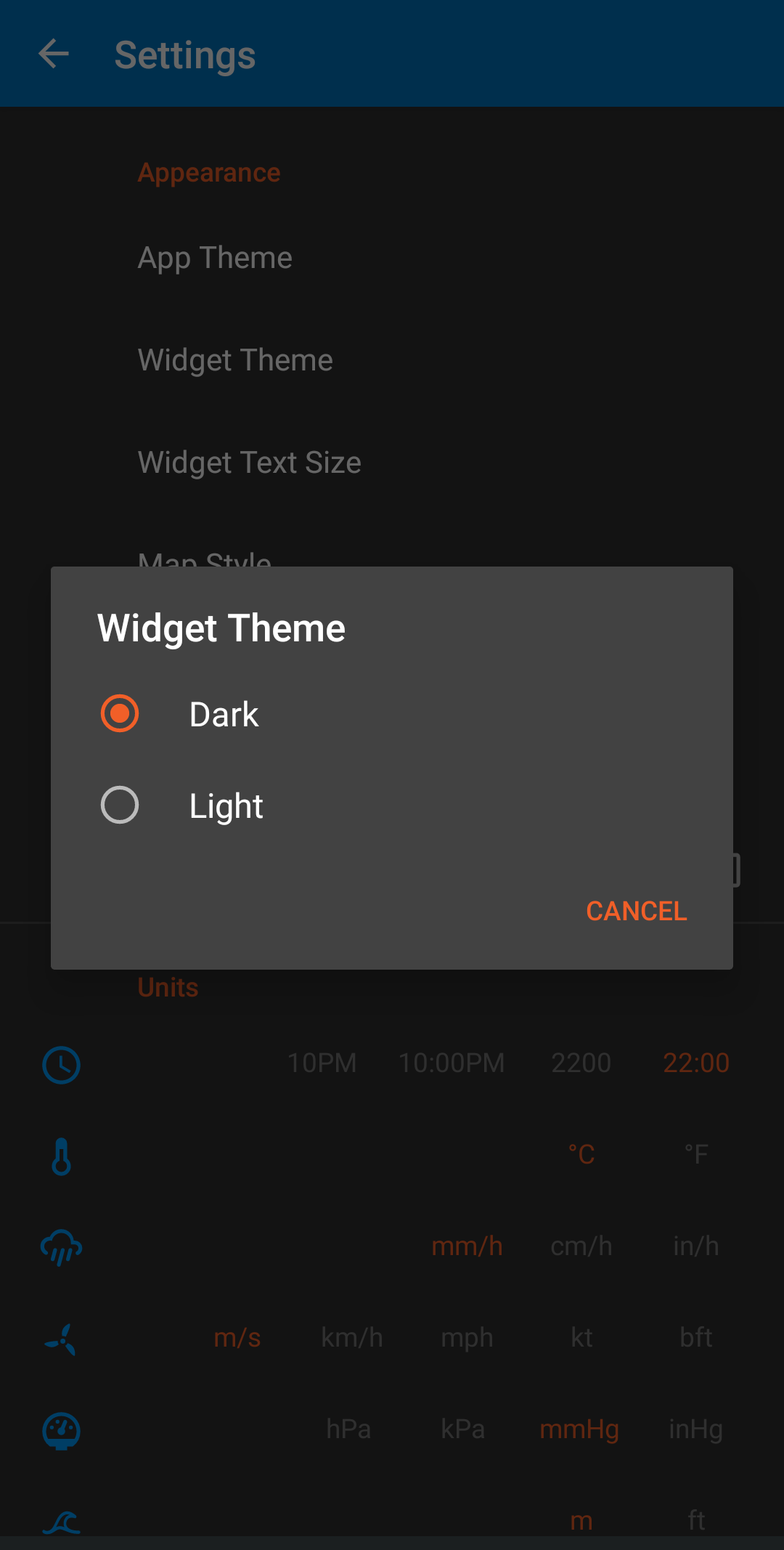
Maybe this?
---
### Author:  [@Walt](https://forum.flowx.io/u/Walt)
#### Post date: [November 15, 2023, 2:07pm UTC](https://forum.flowx.io/t/widget-transparency-and-graph-layout/1659/3 "2023-11-15T14:07:57Z")
Unfortunately that’s not it. I still have the old phone and it’s set to light mode. I can’t find any settings that are different between the two devices.
Thanks.
---
### Author:  [@helsten2](https://forum.flowx.io/u/helsten2)
#### Post date: [November 15, 2023, 5:38pm UTC](https://forum.flowx.io/t/widget-transparency-and-graph-layout/1659/4 "2023-11-15T17:38:49Z")
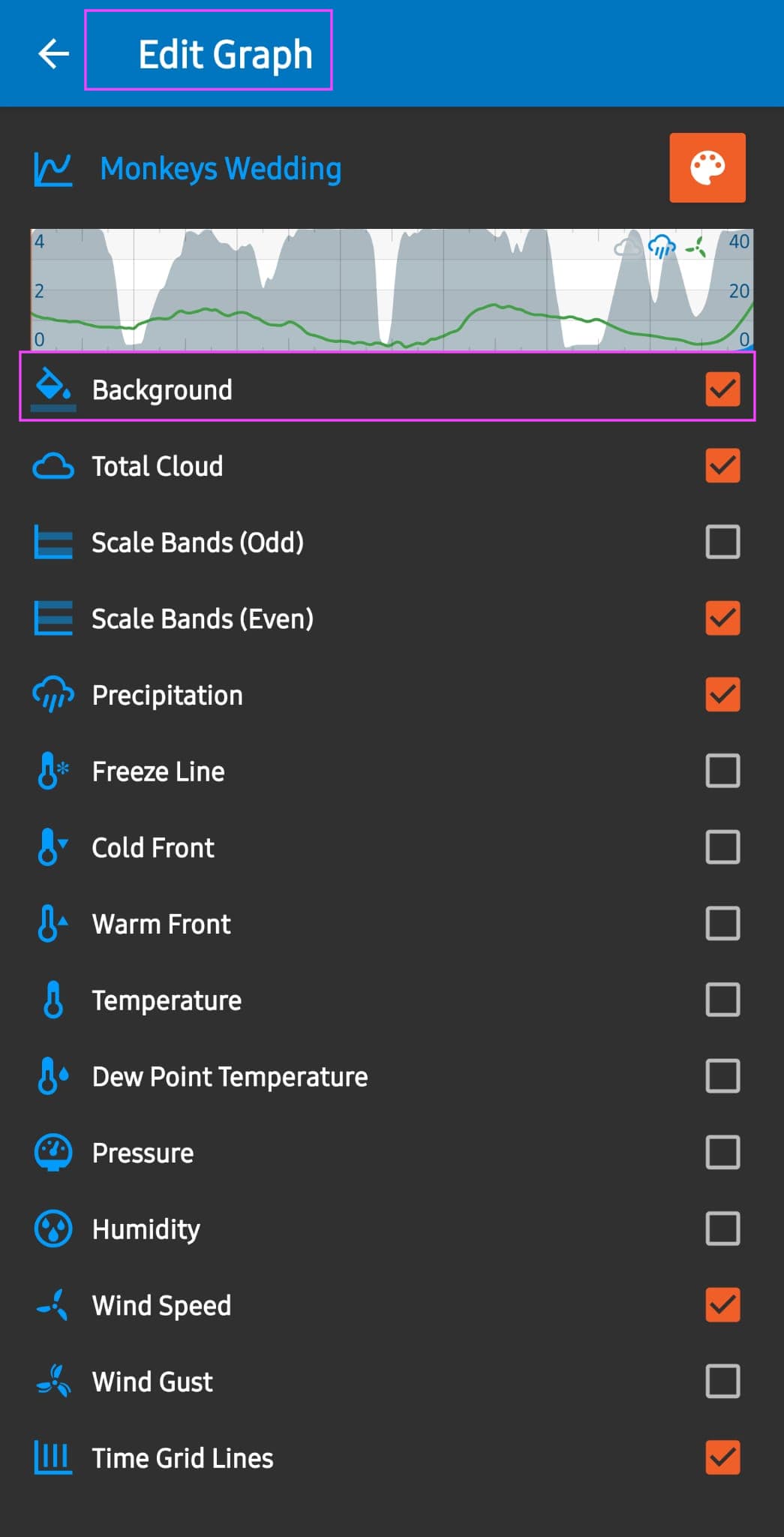
This one, maybe?
---
### Author:  [@Walt](https://forum.flowx.io/u/Walt)
#### Post date: [November 15, 2023, 8:20pm UTC](https://forum.flowx.io/t/widget-transparency-and-graph-layout/1659/5 "2023-11-15T20:20:03Z")
That’s not it, but it did remind me of how to get the graphs I wanted on one panel … thanks!
Here’s a screenshot of the widget on the old phone:

And on the new phone:

There must be a setting somewhere but I can’t find it!
Thanks again.
---
### Author:  [@Walt](https://forum.flowx.io/u/Walt)
#### Post date: [November 15, 2023, 9:49pm UTC](https://forum.flowx.io/t/widget-transparency-and-graph-layout/1659/6 "2023-11-15T21:49:19Z")
It’s transparent now!!! I have no idea why, but many thanks for the replies. This app is the best!
---
### Author:  [@duane](https://forum.flowx.io/u/duane)
#### Post date: [November 15, 2023, 10:26pm UTC](https://forum.flowx.io/t/widget-transparency-and-graph-layout/1659/7 "2023-11-15T22:26:44Z")
@helsten2 got the right answer. 10 points for you 🙂
Good work helping out. I was busy coding.