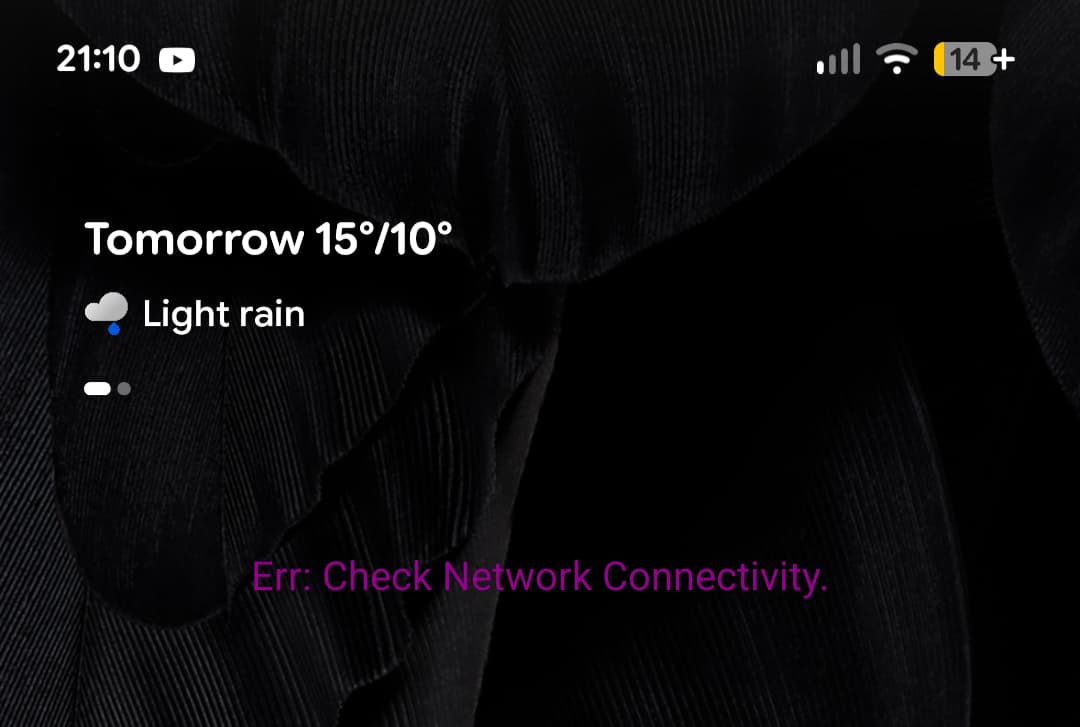
The widget doesn’t display but just says “Err: Check Network Connectivity.”
I’ve tried reinstalling etc. The app itself works fine.
Pixel 7a
Android 16
Build BP3A.251005.004.B2
Many thanks!
The widget doesn’t display but just says “Err: Check Network Connectivity.”
I’ve tried reinstalling etc. The app itself works fine.
Pixel 7a
Android 16
Build BP3A.251005.004.B2
Many thanks!
Check Flowx Settings > Download on Mobile is turned on.
Also try resizing the widget.
@Swib Hello and Welcome to the Forum and Thank you for Using Flowx
Thanks for your reply. Alas, no change. I tried removing and adding the widget back in.
Thanks
Can you try the “Widget Update” and “widget Source” settings in Advanced Settings?
Before you change those settings, can you email the debug log via Feedback in the side menu
Hi Duane,
Unfortunately, the app closes when I select email debug log.
I’ve prodded those settings to no avail.
Kind regards,
Simon
Are you able to just email via feedback without the debug log?
Can you check your Android Settings > Apps > Flowx > Permissions?
Also can you try and send the debug log twice in a row? Maybe this will help me find the double crash.
Hi Duane,
Under permissions it has Location allowed, and Microphone not allowed.
I just tried the debug log three times and sent you an email via the feedback button.
Many thanks,
Simon
Thanks @Swib. I was able to find the crash logs and debug logs.
The crash when you tried to send me the debug log is because the app could not write to your filesystem: "android.system.ErrnoException: open failed: EROFS (Read-only file system)
".
The debug log says the widgets are updating but the widgets also writes to the filesystem and is failing.
Can you check your storage permissions? Do you use a custom ROM, custom launcher or have any “optimization” apps (apps that say they will double your battery life, make your phone faster, etc…)
There are many users with Pixel 7’s and don’t have this issue so it’s something local to your phone.
Cheers, Duane.
Thanks Duane,
I’m running stock build with no optimisation apps or custom launcher.
I’ve also tried setting battery and data to unrestricted.
The build is
BP3A.251005.004.B2
Perhaps there’s an edge case where widget is trying to write to the cache where it’s not allowed?
Kind regards,
Simon
I had a chat with AI this morning and there isn’t a clear answer as to why. Note, we have ~50k monthly users and I haven’t seen this bug before. I’ll send through the conversation.
It’s hard to fix because I can’t replicate it so I’d have to add custom code to try a solution, release, wait for you to test it and the repeat. It’s not really a fun process.
Indeed… However I just occurred to me whether the permission problem is just the debug log crash and something else is happening with the widget?
Those are the only two things that save to the file system so they can be shared with other apps, e.g., to be emailed or for the launcher to show the widget.